Year in Review Template for Your Personal Life, Not Your Performance Review
Year in review template for your personal life: 10 prompts across five areas, each answered from what you already logged, plus a 90-minute order to run them in.
By Notion Life OS by Cosmo Suite · Editorial policy
Published · Updated · 8 min read
Search for a year in review template and much of page one is presentation decks and whiteboard boards, many built for company roundups. They work for a team presentation and do little for your own year.
A personal year in review is 10 questions across the areas of your life, answered from what actually happened, followed by three choices for next year. The prompts below take about 90 minutes in total when your year is already logged. Each answer comes from a filtered view instead of from memory.
A review from memory only holds what you happen to recall, and ordinary months vanish. Keep a Notion workspace that logs your tasks, events and habits all year and the review has something to read.
Year in Review at a Glance
The 10 prompts group into five areas, two per area, and each one has a definite source for its answer. The areas are the five in Notion Life OS: Productivity, Wellness, Health & Fitness, Lifestyle and Finances.
| Area | Prompt 1 | Prompt 2 | Where the answer comes from |
|---|---|---|---|
| Productivity | What did I finish? | What kept slipping? | Master to-do list: done tasks, overdue tasks |
| Wellness | Which habit held all year? | Which dropped first, and when? | Weekly habit tracker, counted by month |
| Health & Fitness | What did I keep doing? | What did I skip? | Workout and appointment entries, events list |
| Lifestyle | Where did I go and what did I plan? | What did I put off all year? | Events and appointments, the monthly calendar |
| Finances | Where did the money go? | Which line ran over most? | What you logged in the Finances area, or your bank export |
Each area gets one prompt about what went right and one about what didn't, so the weak spots get looked at too.
What Does a Year in Review Connect To?
A year in review connects twelve months of small entries to next year's choices. It is the one review that reads every area at once.
That only works if the entries live in a few databases instead of being retyped on every page. A linked view is a view of an existing database placed on another page, with its own filters. Notion's guide to linked databases says they "display the same database content across multiple pages", and your filters stay local to the view. That is how one master to-do list can feed today's page, this week's page and your review page.
A relation goes one step further. It is a Notion property that ties a row in one database to a row in another, and a rollup counts or sums across those links. Notion covers both in its relations and rollups guide. Notion Life OS gives you the linked views. Relations and rollups are an addition you make yourself, and the wiring table says which is which.
Once the views exist, the review is mostly opening them. Without them, expect an afternoon of scrolling.
[Unique insight] The wiring for this review. The prompt-to-view map below is our own design for a review page built on the delivered Notion Life OS template.
| This page | Feeds | Through | In the template? |
|---|---|---|---|
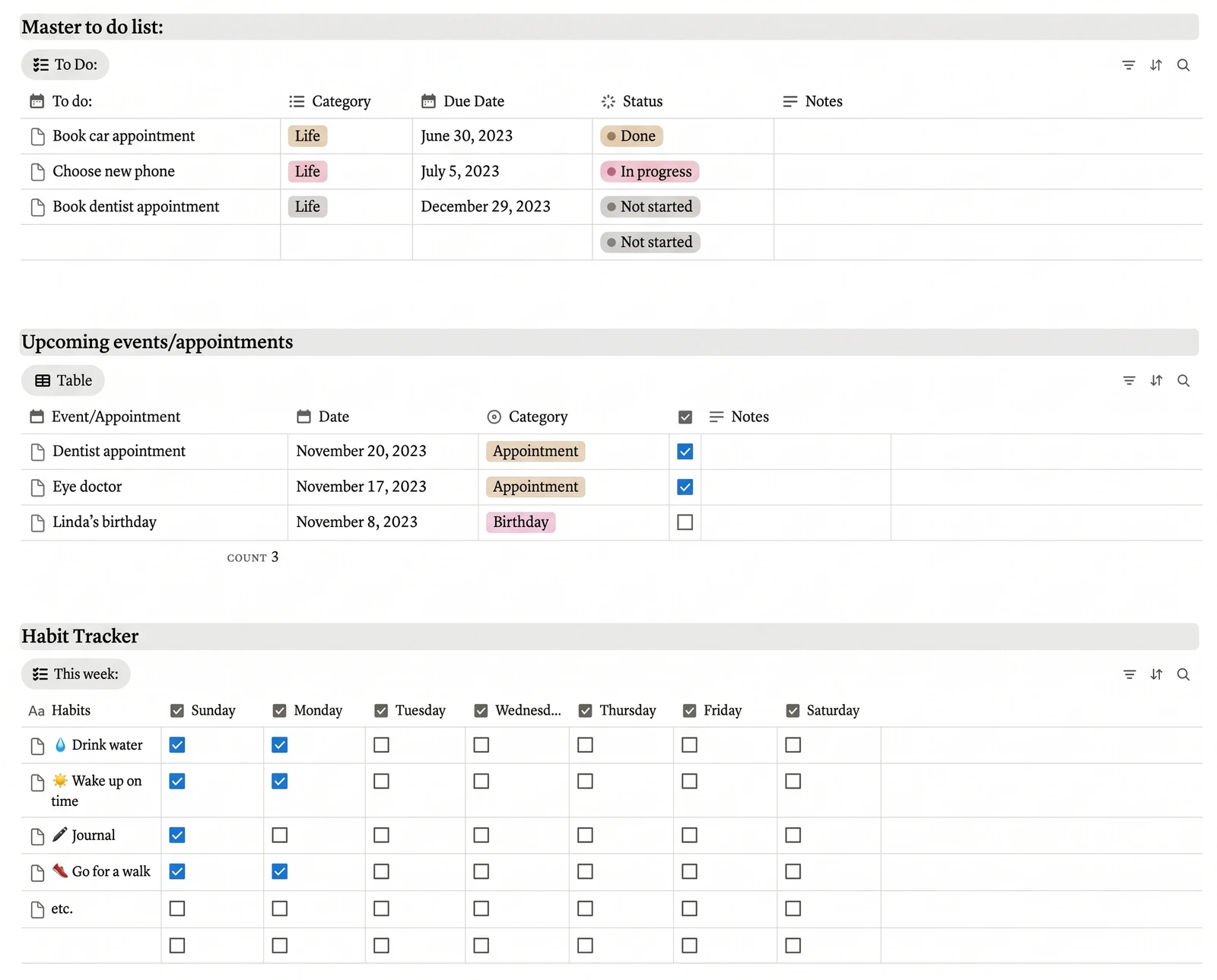
| Done tasks | "What did I finish?" | A linked view of the master to-do list: status done, date this year | Yes (you add the view) |
| Overdue tasks | "What kept slipping?" | The same list: status not done, due date before today | Yes (you add the view) |
| Events and appointments | Health & Fitness and Lifestyle prompts | A linked view of the events list, grouped by category | Yes (you add the view) |
| Habit checks | "Which habit held?" | The weekly tracker's rows, counted by month | Counting by month: add it yourself |
| Money | "Where did the money go?" | A relation plus a sum rollup on your own expense rows | Add it yourself |
How to Set Up the Review Page
Make one page called "Year in Review 2026" and put linked database views on it, each filtered to this year. That page is the entire template, and you never copy data into it.
- Create the page inside your Productivity area, next to the monthly planner.
- Add a linked view per prompt. Type
/linked viewon the page and pick the source database, such as the master to-do list. - Filter each view by date: due or completed between 1 January and 31 December.
- Sort for the question. "What kept slipping?" filters overdue tasks and sorts by due date. "What did I finish?" filters status done.
- Leave a text block under each view for your answer, three lines at most.
Notion's views, filters and sorts guide shows each of these settings step by step. Once the page exists, duplicate it next December and change the year in the filters. Database templates can also repeat on a schedule, if you'd rather have Notion create the page for you.
Which Prompts Should You Answer First?
Answer the completed-work prompts first and the money prompts last. Starting with what went right makes the review less likely to become a list of regrets before you've seen the whole year.
First 30 minutes: Productivity and Lifestyle. Estimate how many tasks you completed this year and write the estimate down. Then open "What did I finish?" and count. Next, scan the events list by month for the trips, visits and dates that filled the year. You may find work you forgot you finished, which helps before the harder prompts.
Next 30 minutes: Wellness and Health & Fitness. Examine habit checks by month rather than as one annual total. A habit checked on 7 of every 10 days can hide a strong spring and a collapsed autumn. The month it dropped usually matches something visible on your calendar.
Last 30 minutes: Finances. Group your expenses by category and compare each against the budget you set.
For example, say the dining-out line had a $150 monthly budget and the year's total came to $2,400. The line finished $600 over. Grouping those expenses by month shows whether it was a steady $50 a month or two expensive months, and the events list usually supplies the reason, such as a move or a trip. These figures are sample numbers, not a real person's. A steady overspend means the budget was set too low. Two expensive months may be a one-off you don't need to fix. Both answers take a minute when the expenses are already grouped, and both change next year's budget.
A Worked Example: One Goal Across the Year
Take a goal set in January: run a 10K in March, with 12 weekly training tasks. This is a demo you add yourself. A goals database with a relation and a rollup is not part of the Notion Life OS template, and the numbers are sample data.
Add a Goals database with one row. Relate each of the 12 training tasks on your master to-do list to it. Then add a rollup on the goal that counts tasks with status done, which Notion can show as a progress bar.
| Month | Steps done (rollup) | Progress |
|---|---|---|
| January | 4 of 12 | 33% |
| February | 9 of 12 | 75% |
| March | 12 of 12 | 100% |
In the review, this goal answers "What did I finish?" without any writing. What happened afterwards is more revealing. Suppose the running habit's monthly checks fall from 12 in March to 2 in May. Then the goal was achieved but the habit wasn't maintained. The lesson is about keeping a habit after the goal is met, and a review from memory usually misses it.
The review's final step turns findings like that into next year's three goals, each with its own tasks. Next December's review then has something to read.
What Makes a Year in Review Worth Doing?
A year in review is worthwhile when it changes your behavior in January. A review that ends in a reflective paragraph and no decisions leaves January looking like last year.
Stop something. The last prompt in every area is a candidate for stopping, such as the habit you never kept, the commitment you kept postponing, or the spending line that ran over. Dropping one activity frees more time than adding a goal.
Keep three goals, not ten. Each new goal should originate from a prompt answer, not from a list you wrote beforehand.
Log what next year's review will need. If a prompt was difficult to answer, that area wasn't being logged. A 2016 meta-analysis of 138 studies in Psychological Bulletin, covering 19,951 participants, found that monitoring goal progress promoted goal attainment. The effects were larger when progress was physically recorded. Fix that gap first, in your own setup or in a planner template with a master to-do list, events and a habit tracker already connected. A Life OS where every page feeds the review runs on the same idea, with the system doing the remembering.
How We Made and Checked This
We're the Cosmo Suite team that sells the Notion Life OS template, so we have a stake in the conclusion. Methodology: the 10 prompts, the 90-minute order and the review page are our own design. The screenshots and the list of what the template contains come from the template as delivered to buyers, opened in a browser on 8 October 2026. The goal demo and the money rows are additions, and the post labels them. The 10K and dining-out examples use sample numbers, not a real person's data. Descriptions of linked views, relations, rollups and filters come from Notion's help center. The progress-monitoring finding comes from the Psychological Bulletin meta-analysis cited above. Notion updates its features, so check the current steps before building. You can read who we are and how to contact us and how we write and fact-check posts.
Where Notion Life OS Fits
The 10 prompts work in any application. They take 90 minutes when you have a year of entries to read from.
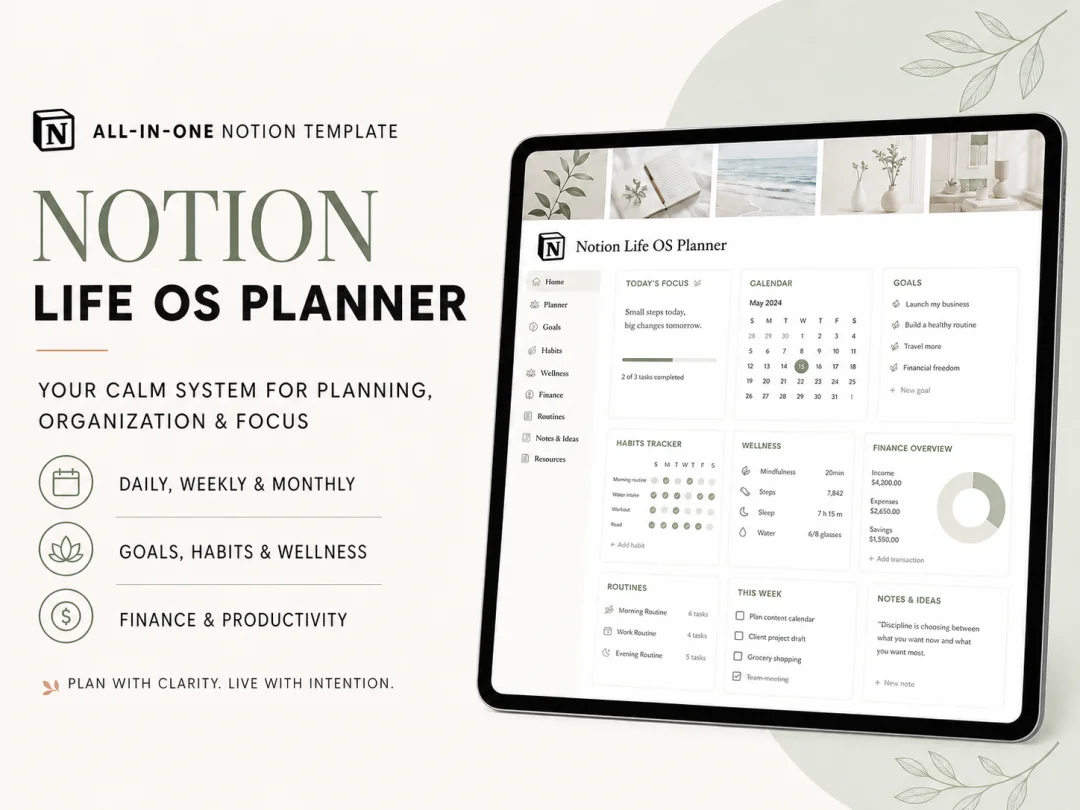
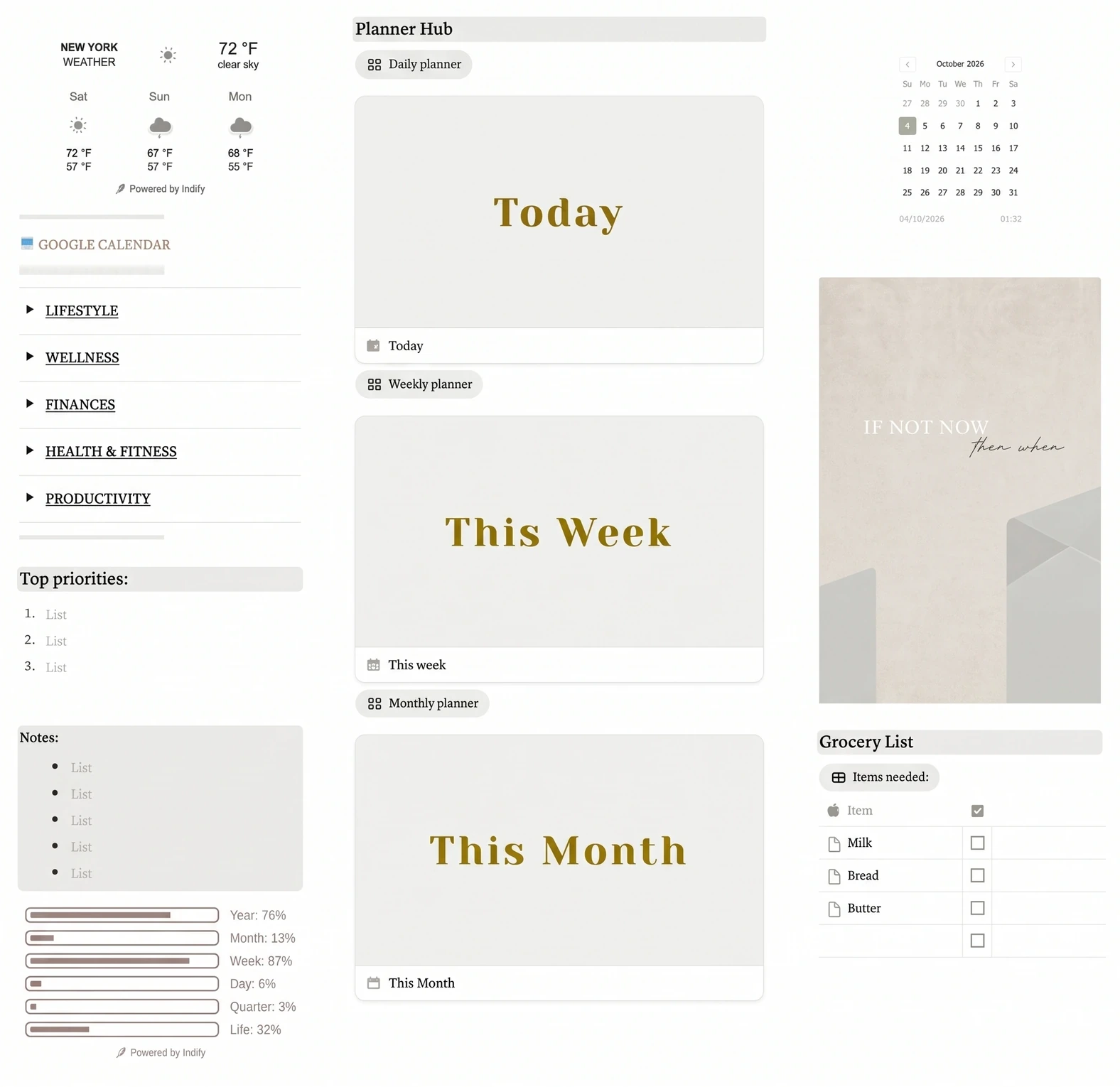
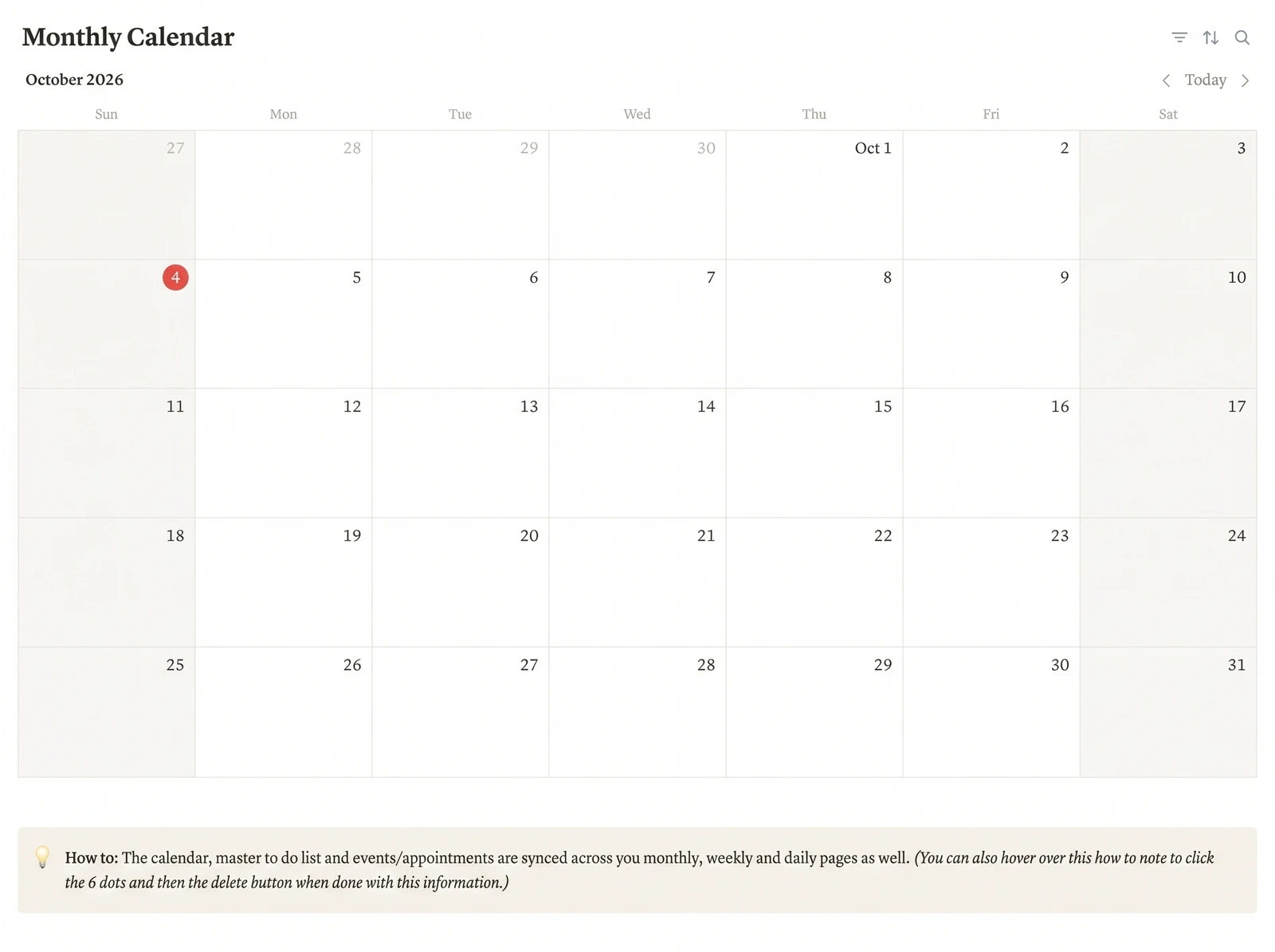
Notion Life OS gives you the places to log into. It is one Notion template with a central dashboard (quote, main goal, top priorities and notes) and five life areas: Lifestyle, Wellness, Finances, Health & Fitness and Productivity. A Planner Hub holds daily, weekly and monthly planners. A master to-do list tracks category, due date and status, an events and appointments list holds fixed dates, and a weekly habit tracker and monthly calendar sit alongside. The calendar, to-do list and events sync across the daily, weekly and monthly pages.
It also has a Google Calendar link, a weather widget, light and dark themes and a YouTube tutorial. It duplicates into a free Notion account and costs $9 once. Relations, rollups and a goals database are additions you can make with the Notion guides above.
If you set it up now and log consistently, next December's review page will be mostly ready to read. You can look through every page in the Notion Life OS template with its dashboard, planner pages and habit tracker.
Frequently asked questions
When should I do a personal year in review?
Any time in the last two weeks of December or the first week of January works, as long as you block 90 minutes for it. Some people prefer their birthday or the start of a school year. What matters is doing it once a year at the same point, so each review compares a full twelve months.
How long does a year in review take?
About 90 minutes if your year is already logged, and closer to half a day if you rebuild it from memory and old photos. The 10 prompts in this post take 5 to 10 minutes each when the answers come from filtered views. The slowest part is usually the final step, choosing what to stop.
Can I use this template if I didn't track anything this year?
Yes. Answer each prompt from your calendar, bank statements and photos instead of from views. It takes longer and the answers are rougher, but it still works. Use the gaps you notice as the brief for next year: whichever prompt was hardest to answer is the area to start logging in January.
What is the difference between a year in review and a performance review?
A performance review is written for an employer and grades your work against your role. A personal year in review is written for you and covers every area of life: health, money, home, relationships and plans. Many templates on the first page of Google are built for teams and company roundups, which is why this one exists.
Should a year in review include goals for next year?
Yes, but only at the end and only three of them. Set them after you've looked at what moved and what didn't, not before. Each new goal should come out of a prompt answer, such as a habit that held or a budget line that kept running over.
What is the fastest way to set up a year in review in Notion?
Use a workspace where tasks, events and habits are already logged in one place, then make one page with linked views filtered to this year. Notion Life OS has a master to-do list, an events list, a weekly habit tracker and daily, weekly and monthly planners across five life areas, for a one-time $9.